Narrow choices using the valid combinations returned by the model.
Link the choices
Slicers → Controls → Link slicer selections and Clear incompatible selections default to On. Selecting Product can narrow Country, and selecting Country can narrow Product. The most recent change takes priority; older incompatible choices are cleared and compatible choices remain.
Linked product and country selections show compatible choices.
Click to enlarge.
Filtering multiple fields
The visual combines its owned filters through one general.filter array. Product A and Country Germany intersect; Product A or B is an OR inside Product. Clearing one field resends the remaining field selections. Recent local choices are protected from stale host echoes until confirmation.
Model relationships determine availability
The linked lists use valid combinations from delivered data. If a query returns all Product/Country combinations, the visual cannot infer production relationships that are absent from those rows. While pages are incomplete, selections are retained and availability waits.
External filters stay external
The box does not clear native/page/report filters. Its Clear all clears only its own filter channel. Period inputs also have separate ownership rules so a selected month can expand into YTD.
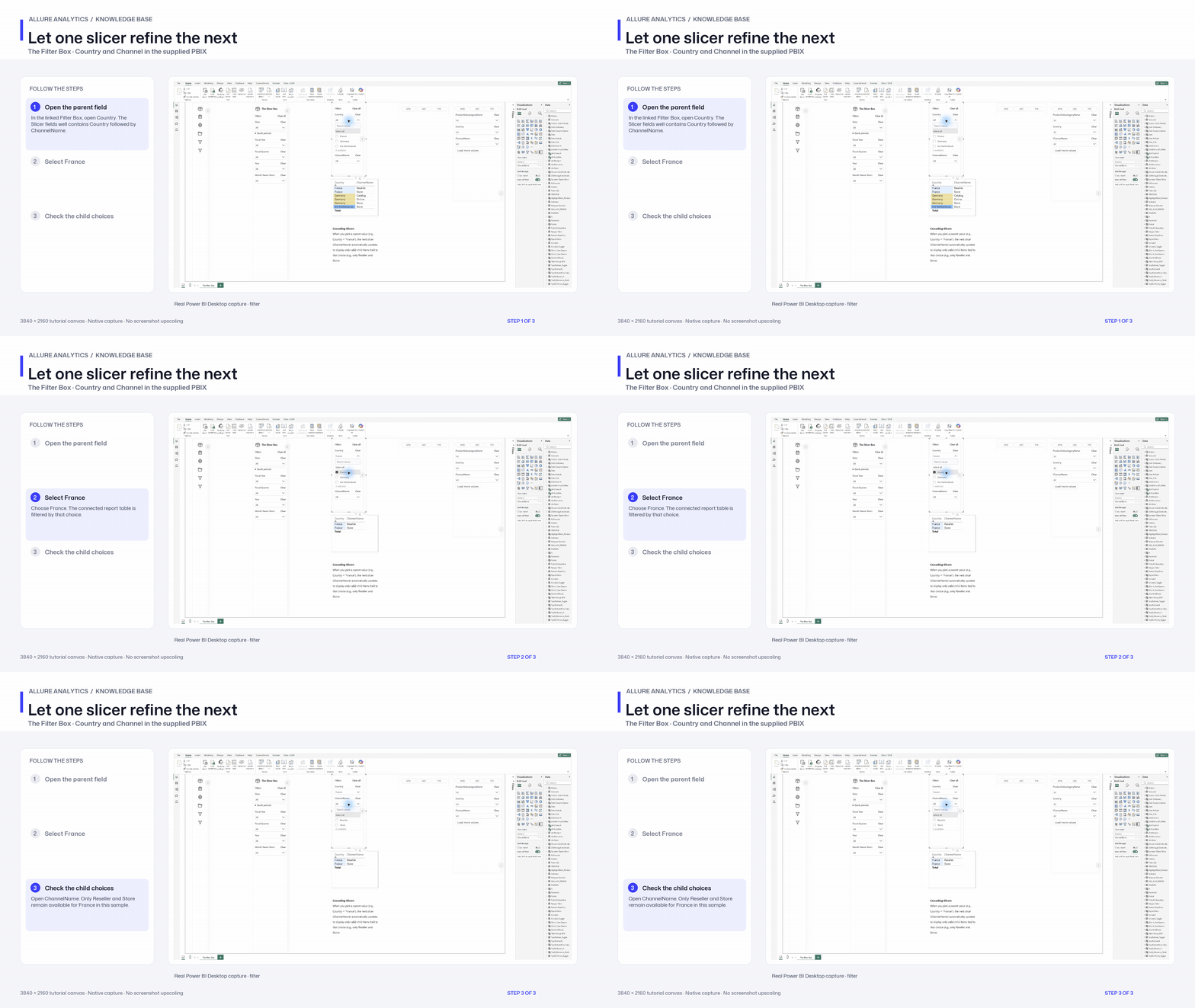
Let one slicer refine the next
Linked Country → Channel choices and a real report table update.
3840 × 2160 tutorial canvas at 20 fps. Real 2560 × 1392 Power BI Desktop screenshots retain their native size; this is a paced step sequence.
- Open the parent field — In the linked Filter Box, open Country. The Slicer fields well contains Country followed by ChannelName.
- Select France — Choose France. The connected report table is filtered by that choice.
- Check the child choices — Open ChannelName. Only Reseller and Store remain available for France in this sample.