Show proportion defective with limits that account for different daily inspection counts.
Bind your sample fields
| Your field | The Charts field well | Aggregation |
|---|---|---|
| Period | Category / Hierarchy | Order by the intended Day sequence |
| # of Defective | Actual | Sum per period |
| Total # | Statistical sample size / exposure | Sum per matching period |
Set the analysis
- Choose Line or Area and turn Statistical Analysis On.
- Choose p · Proportion defective and the defective-count Actual measure.
- Use the supplied sample-size field rather than a constant when Total # varies.
- Choose Straight/Stepped LCL and UCL and the display precision.
- Validate one period: Day 1 with 5 defectives from 100 gives 5%.
Why the limits can move
The baseline center uses total defectives divided by total inspected, not an unweighted average of daily percentages. Binomial variability depends on each sample size, so varying n can produce different limits. Counts must be nonnegative integers with defectives no greater than the total. Use np only for constant sample size.
NIST: proportions control charts.
Build a p-chart with varying sample sizes
Native p-chart field-role and analysis-settings chapter using the supplied 25-day dataset.
3840 × 2160 tutorial canvas at 20 fps. Real 2560 × 1392 Power BI Desktop screenshots retain their native size; this is a paced step sequence.
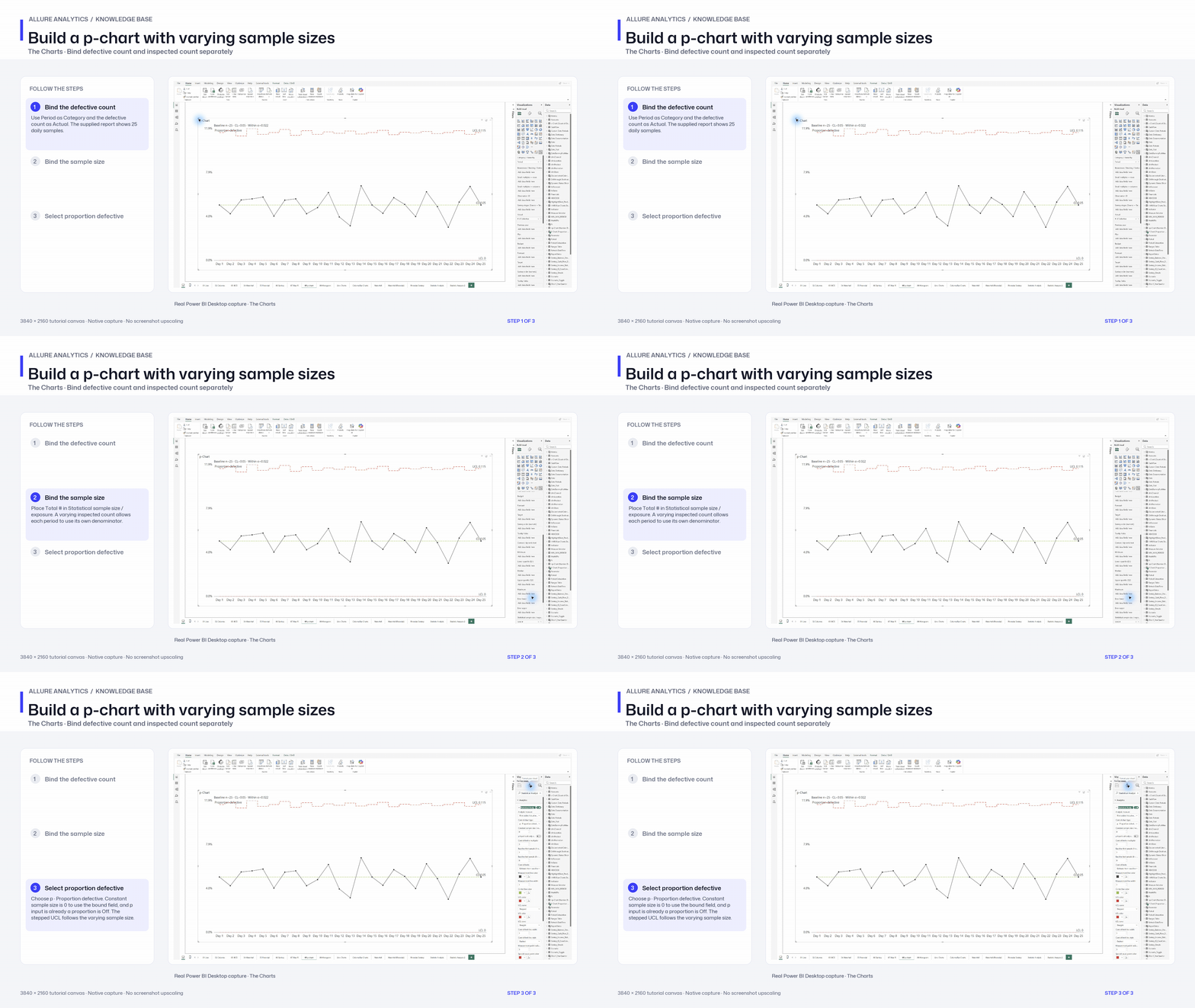
- Bind the defective count — Use Period as Category and the defective count as Actual. The supplied report shows 25 daily samples.
- Bind the sample size — Place Total # in Statistical sample size / exposure. A varying inspected count allows each period to use its own denominator.
- Select proportion defective — Choose p · Proportion defective. Constant sample size is 0 to use the bound field, and p input is already a proportion is Off. The stepped UCL follows the varying sample size.