Your most important numbers. In focus.
Give every KPI a clear context, from the current value to the target and the trend.
Executive scorecards, commercial performance and finance reporting.
Actual, prior-year and forecast comparisons
See the relevant feature demonstration below and review the Knowledge Base for setup and usage guidance.
01
Absolute and percentage variance indicators
See the relevant feature demonstration below and review the Knowledge Base for setup and usage guidance.
02
Sparklines, column trends and integrated variance
See the relevant feature demonstration below and review the Knowledge Base for setup and usage guidance.
01
Built for clearer reporting
Executive scorecards, commercial performance and finance reporting.
Explore the screenshots and individual demonstrations below. Product compatibility, deployment and licensing are confirmed for your requirements.
- Actual, prior-year and forecast comparisons
- Absolute and percentage variance indicators
- Sparklines, column trends and integrated variance
- Target bars, bullet charts and multiple KPI layouts
PRODUCT LICENSING & SUPPORT
Let’s find the right fit.
Actual & variances
- Start with Actual
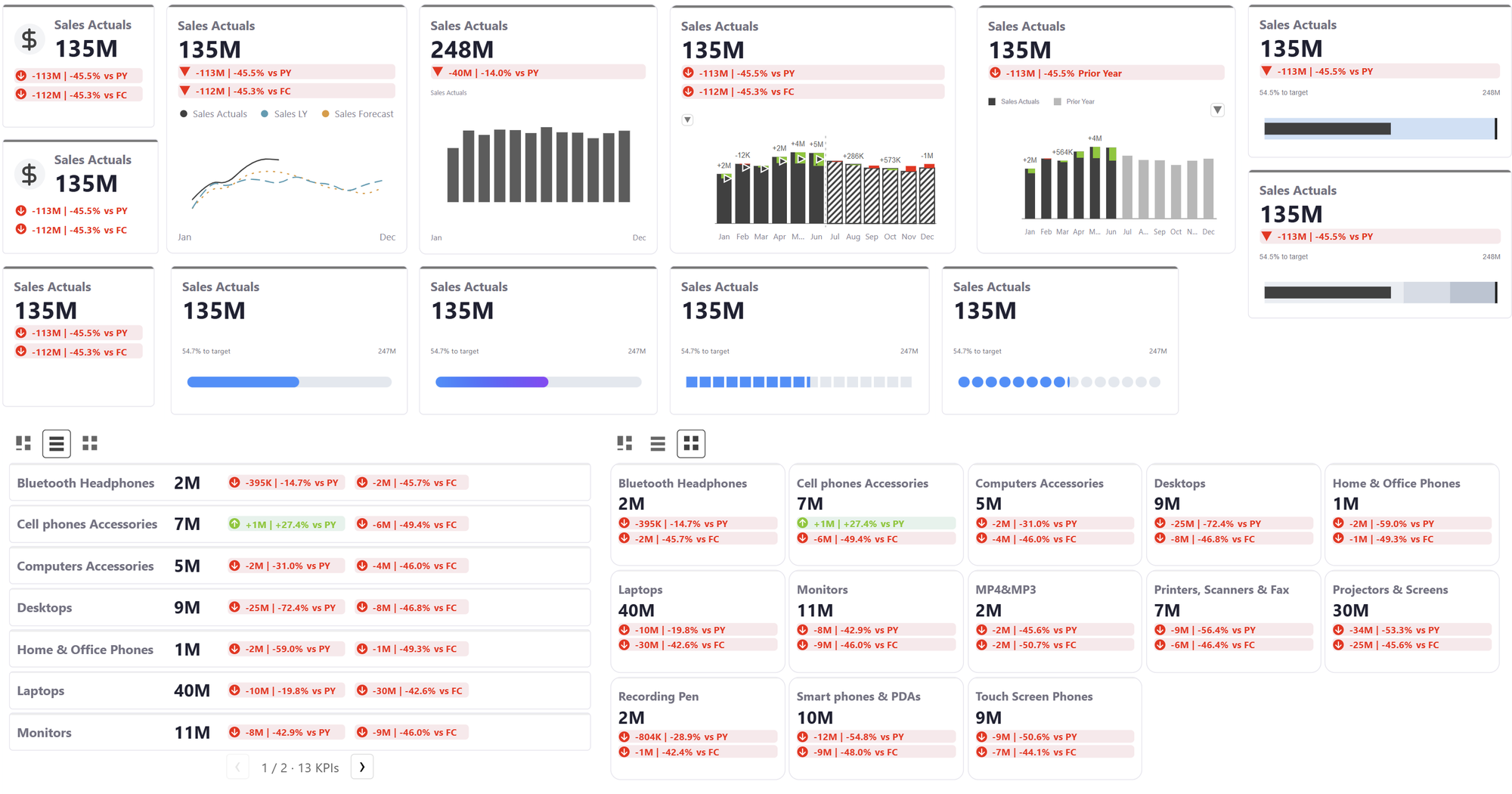
- One measure. A clear headline.
- Add PY, PL and Forecast
- Absolute and relative changes share the same card.
- Make variances part of the design
- Status fonts, filled backgrounds and integrated comparison icons.
Every trend type
- Compare scenarios over time
- Line and area trends keep the headline, comparisons and legend together.
- Change the trend to columns
- Actuals, prior periods and forecasts use their own scenario styles.
IBCS comparisons
- Bring IBCS notation into the card
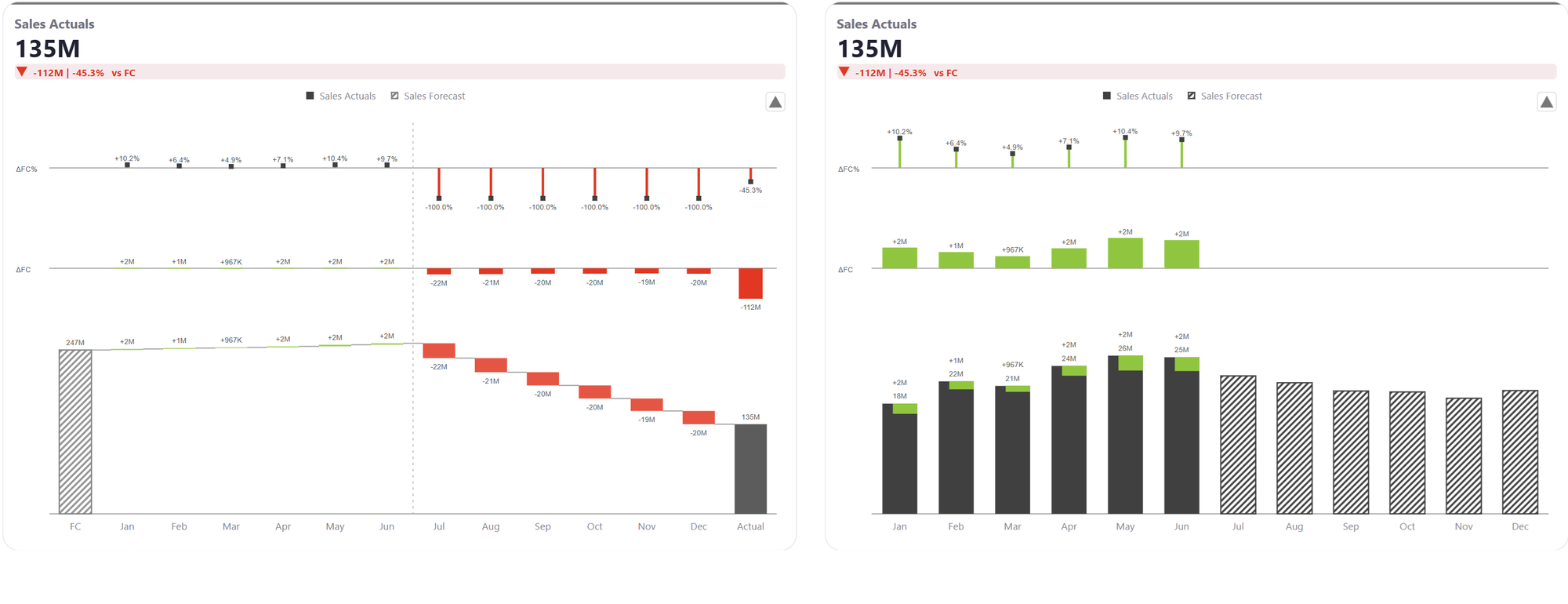
- Relative and absolute bands. Integrated arrows or variance bars.
- Explain where the change comes from
- Running and variance waterfalls turn a KPI into a story.
Progress & bullets
- Let progress fill the card
- Continuous and segmented bars animate toward the model value.
- Put performance in context
- Reference markers, qualitative ranges and integrated differences.
Responsive layouts
- Resize. The content follows.
- The same card reflows as the available width and height change.
Small multiples
- Add a group → Custom
- Individually sized cards, in category order.
- Add a group → Rows
- Aligned rows bring categories and comparisons into one scan.
- Add a group → Uniform
- Equal-sized cards keep a large KPI collection consistent.
Embedded icons
- Add icons with meaning
- Embedded icons stay integrated with the card, charts and responsive layout.
Product screenshots