Offer date selection and shortcuts without filling the canvas with separate slicers.
Choose a date control
Select the raw Date field under Slicers → Controls → Selected field. Date Picker uses calendar controls; Between, Before and After provide bounded filtering. Relative Date supports period-based choices; Relative Time provides time windows. Date-only options appear only for a compatible Date field.
Quick-period sections
Quick periods places Calculate periods from above Relative Date periods and Time Intelligence. Show/hide each section, its heading, informative text and individual buttons independently. Current calendar/fiscal Year/Quarter/Month choices and rolling 1D, 1W, 1M, 3M, 6M, 1Y, 2Y shortcuts are available.
Date shortcuts with the calculation basis above relative and time-intelligence controls.
Click to enlarge.
Rolling calculations
Rolling shortcuts use the reference date from Current Date or Slicer Selection. A 1M lookback subtracts one calendar month and includes the reference date; subtraction clamps to a valid day at month/year boundaries. Report date filtering uses inclusive start and next-day exclusive end. Calendar to-date buttons differ from rolling windows.
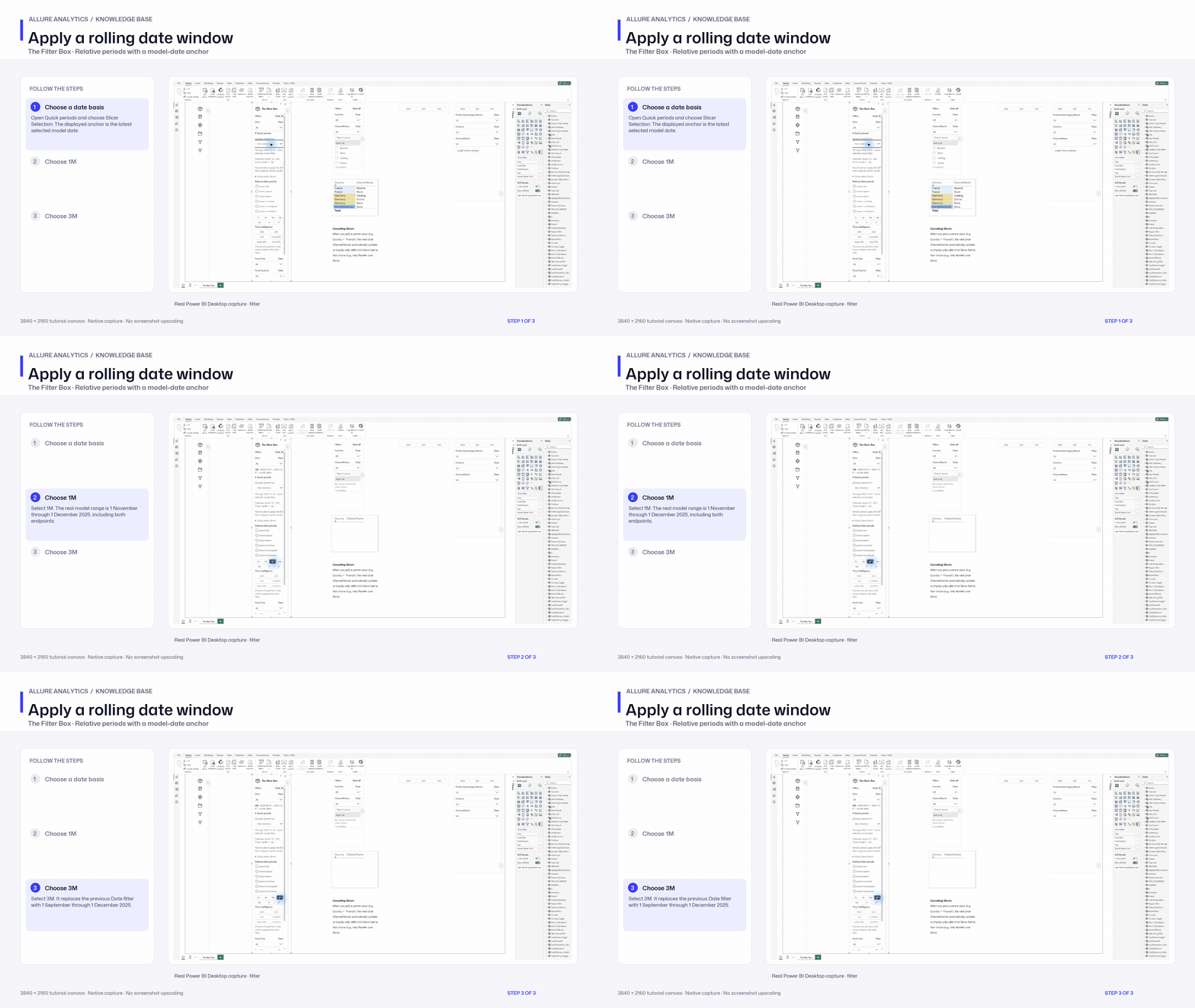
Apply a rolling date window
One- and three-month rolling period chapter; Date Picker configuration remains to capture.
3840 × 2160 tutorial canvas at 20 fps. Real 2560 × 1392 Power BI Desktop screenshots retain their native size; this is a paced step sequence.
- Choose a date basis — Open Quick periods and choose Slicer Selection. The displayed anchor is the latest selected model date.
- Choose 1M — Select 1M. The real model range is 1 November through 1 December 2025, including both endpoints.
- Choose 3M — Select 3M. It replaces the previous Date filter with 1 September through 1 December 2025.