
Skip to content
ALLURE
Skip to main content

Allure Analytics

Show only the MTD, QTD and YTD buttons

Keep the period functionality while hiding headings, date inputs and extra controls.

A minimal three-button recipe

  1. Under Slicers → Controls, turn Show filter section title and Show Clear all button Off.
  2. Select the Date field; turn Show slicer title and Show Clear button Off.
  3. In Date shortcuts, keep Show date shortcuts, Show Time Intelligence and Show MTD / QTD / YTD On.
  4. Turn Show Date slicer, Show Calculate periods from, Show Relative Date periods, fiscal MTD/QTD/YTD, Quick periods heading, Time Intelligence heading and period instructions Off.
  5. Optionally hide the applied range, container header and collapse control. Hide other fields with their Show slicer switch.

The Filter Box reduced to three filtering buttons.

Click to enlarge.

Hidden does not mean cleared

The saved Current Date/Slicer Selection basis still governs the buttons and is editable in the format pane. Hiding a heading leaves its controls available; an active period can be clicked again to clear its Date filter. Hiding/revealing text does not itself send filters or erase saved selections.
Back to the Knowledge Base

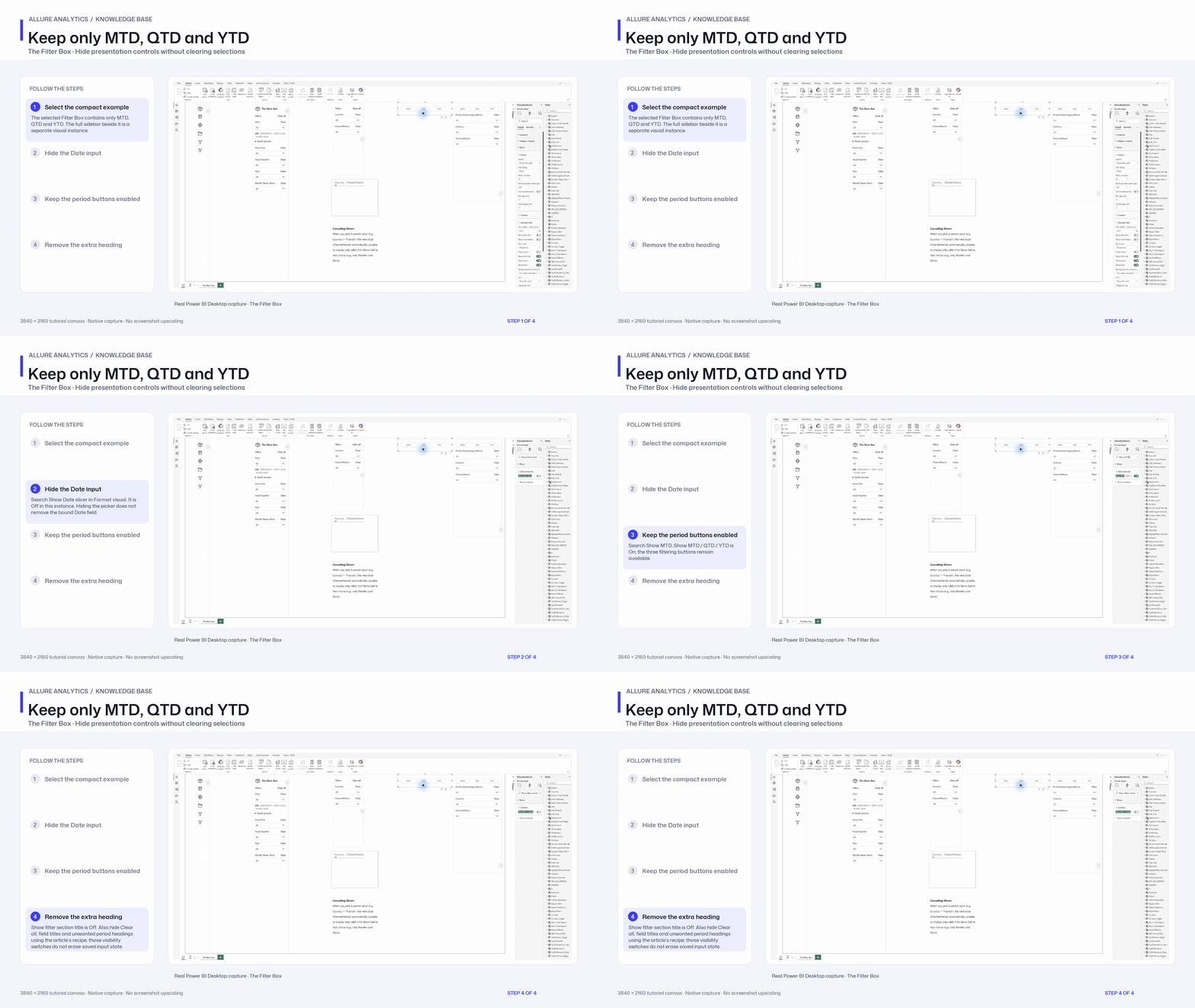
Keep only MTD, QTD and YTD

Native inspection of the supplied three-button configuration. The settings are already saved in the report; the tutorial shows where the key switches live.

3840 × 2160 tutorial canvas at 20 fps. Real 2560 × 1392 Power BI Desktop screenshots retain their native size; this is a paced step sequence.

  1. Select the compact example — The selected Filter Box contains only MTD, QTD and YTD. The full sidebar beside it is a separate visual instance.
  2. Hide the Date input — Search Show Date slicer in Format visual. It is Off in this instance. Hiding the picker does not remove the bound Date field.
  3. Keep the period buttons enabled — Search Show MTD. Show MTD / QTD / YTD is On; the three filtering buttons remain available.
  4. Remove the extra heading — Show filter section title is Off. Also hide Clear all, field titles and unwanted period headings using the article’s recipe; those visibility switches do not erase saved input state.

Download the 4K animated GIF · Download the 4K MP4