Handle positive-stored costs and already-negative costs without double inversion.
Choose the mode for your data
Find Calculation mode in the totals/financial calculation settings.
| Mode | Data convention | Action | Example profit |
|---|---|---|---|
| Financial (default) | Revenue +100; Costs +40 | Mark Costs: Invert contribution and colors | 60 |
| Mathematical | Revenue +100; Costs −40 | Use model signs; no cost Invert needed | 60 |
Inherit cost interpretation
In Financial mode, Rows → Edit selected row → Invert contribution and colors applies to descendants, including levels loaded later. A child’s explicit On/Off overrides its subtree. Reset this row restores inheritance. Inversion changes contribution direction and status colors while retaining the displayed bound measure.
An income-statement style Matrix with running contribution geometry and comparison columns.
Click to enlarge.
Relative variance with negative costs
Automatic denominator uses the signed reference in Financial mode for compatibility, and the absolute reference in Mathematical mode. Manual denominator options remain available. For Actual −12 and PY −10, the absolute change is −2; an absolute denominator gives −20%. Favorability still depends on business interpretation.
Do not invert twice
When costs already arrive negative, use Mathematical mode unless there is a deliberate separate reason to change a contribution. Default model totals remain the model’s values.
Interpret financial contributions
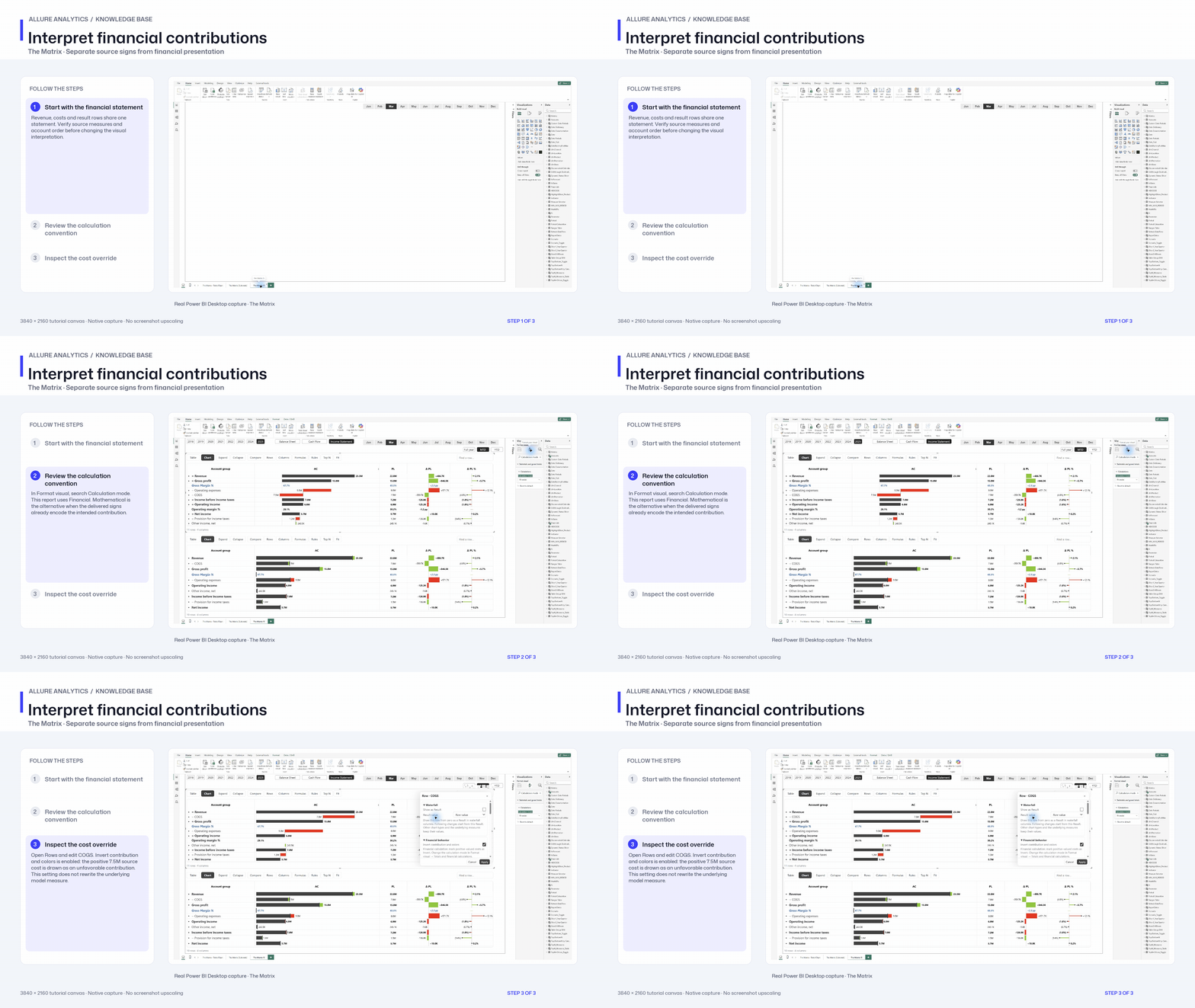
Native financial-mode and cost-row configuration walkthrough. The supplied positive-valued costs already use Invert contribution and colors.
3840 × 2160 tutorial canvas at 20 fps. Real 2560 × 1392 Power BI Desktop screenshots retain their native size; this is a paced step sequence.
- Start with the financial statement — Revenue, costs and result rows share one statement. Verify source measures and account order before changing the visual interpretation.
- Review the calculation convention — In Format visual, search Calculation mode. This report uses Financial. Mathematical is the alternative when the delivered signs already encode the intended contribution.
- Inspect the cost override — Open Rows and edit COGS. Invert contribution and colors is enabled: the positive 7.5M source cost is drawn as an unfavorable contribution. This setting does not rewrite the underlying model measure.