Knowledge Base · The Plant KPI Dashboard
Use the correct time denominator for each performance view.
Three views of the same productive time
OEE = fully productive time ÷ planned production time. OOE = fully productive time ÷ opening time. TEEP = fully productive time ÷ calendar time. Their denominators describe different capacity questions.
Read availability, performance and quality correctly
The OEE / OOE / TEEP toolbar changes the overall effectiveness view. The Availability, Performance and Quality cards retain their OEE definitions; they should not be reinterpreted as a new factorisation of every selected denominator.
Aggregate the inputs
For a plant or period total, combine the underlying numerators and denominators first, then calculate the ratio. Do not take an unweighted average of row-level percentages when production intervals or volumes differ.
Validate the denominator
Document what counts as planned production, opening time and calendar time. Check overlapping records, missing intervals and unit conversions before interpreting a percentage.
Explore The Plant KPI Dashboard
Compare OEE, OOE and TEEP
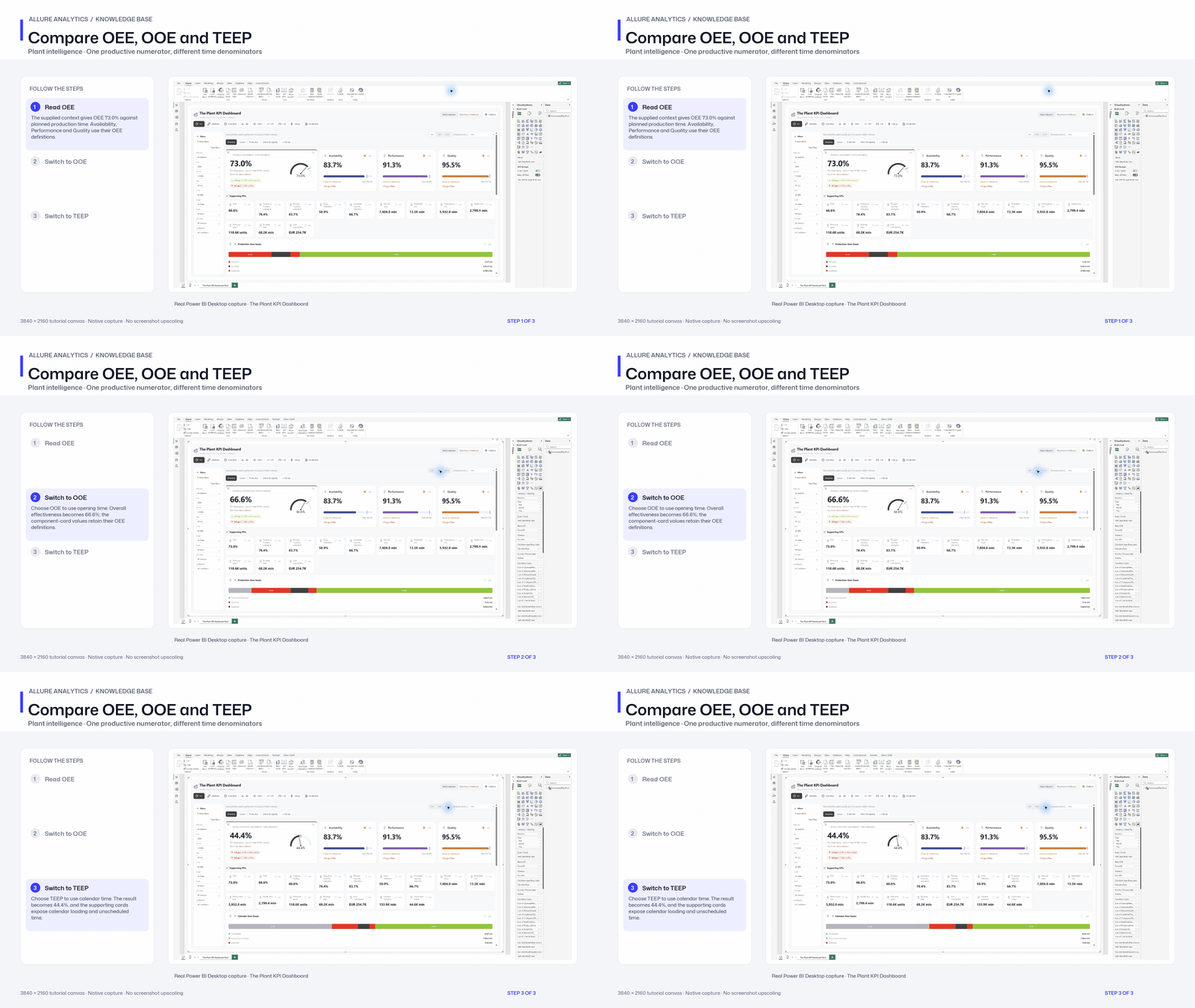
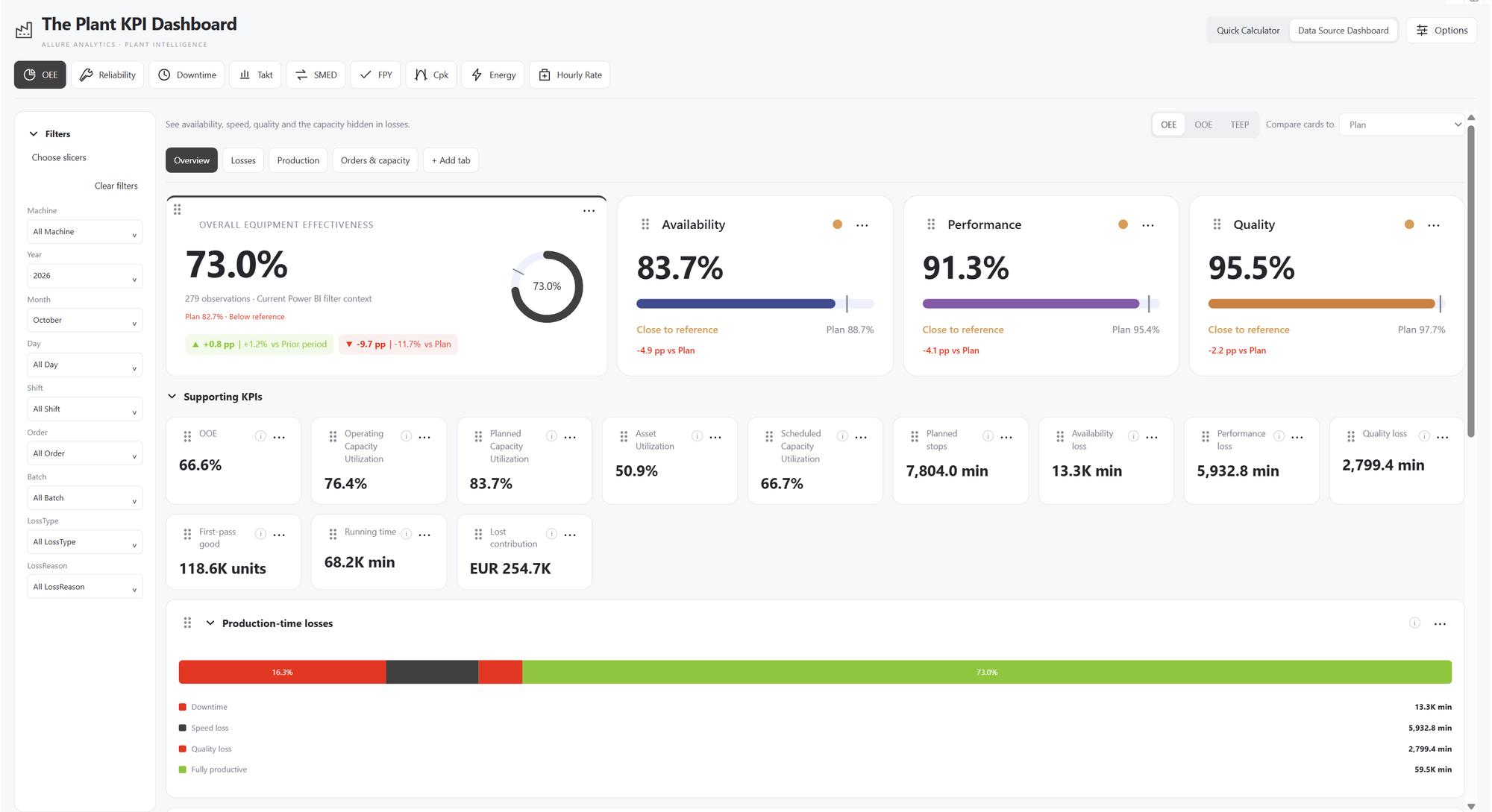
Native October 2026 all-machine denominator switching in the supplied Pivot report.
3840 × 2160 tutorial canvas at 20 fps. Real 2560 × 1392 Power BI Desktop screenshots retain their native size; this is a paced step sequence. Recorded from the supplied Pivot PBIX. Its pivoted numeric inputs and explicit prior-period references differ from the earlier long-format preview fixture.
- Read OEE — The supplied context gives OEE 73.0% against planned production time. Availability, Performance and Quality use their OEE definitions.
- Switch to OOE — Choose OOE to use opening time. Overall effectiveness becomes 66.6%; the component-card values retain their OEE definitions.
- Switch to TEEP — Choose TEEP to use calendar time. The result becomes 44.4%, and the supporting cards expose calendar loading and unscheduled time.